How to configure a broadcast marble roulette map and recording
Set participant names, winning ranks, obstacle layout, camera behavior, saved presets, and a local match recording without blocking the course.
Test record and current workspace
This is a capture of the published workspace used for the guide. The record below separates what was tested, what was observed, and what still depends on the browser or device.
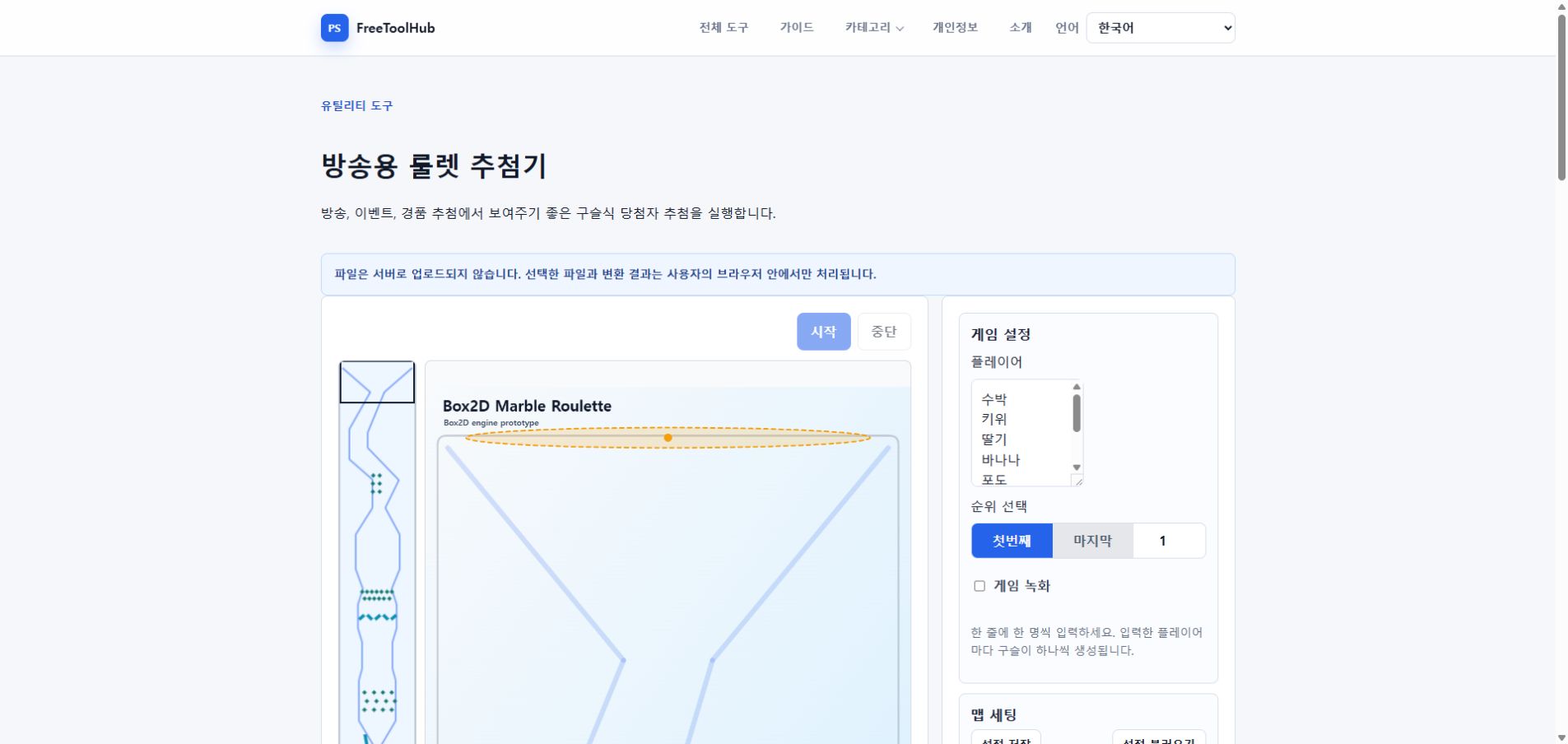
- Test environment
- Chrome 126+ · Windows 11 · Canvas · MediaRecorder
- Test case
- players · map safety · rank · camera · recording
- Observed result
- Participant count, rank range, obstacle clearance, camera following, saved presets, and local recording were checked from start through the persistent result view.
- Known limit
- Recording format and performance depend on MediaRecorder support, canvas size, map complexity, and the device GPU/CPU.
Define the result before editing the map
Enter one participant per line, then choose whether the result includes first through Nth place or Nth through last place. The number of marbles always follows the participant list.
- Remove blank lines and accidental duplicates.
- Confirm the rank count does not exceed the participant count.
- Use clear display names that fit beside a marble.
- Run a short sample before the real draw.
Use the map checker while placing obstacles
Rotors, guides, and diamonds can create interesting motion, but overlapping bodies or an invalid spawn zone can trap every marble. Resolve warnings before saving a preset.
- Select an obstacle to move the camera to it.
- Use the minimap to inspect long sections.
- Keep a visible path around dense obstacle groups.
- Save the working map as JSON before large edits.
Record and verify the final result
When recording is enabled, the browser captures the game canvas locally from the start until the result is decided. The result view remains visible until you stop or reset it.
- Check browser recording support first.
- Keep the tab visible during the draw.
- Confirm the downloaded video plays before closing the page.
- Keep the winner history when several rounds are needed.